 Counselling via MS Teams, Zoom and FaceTime available


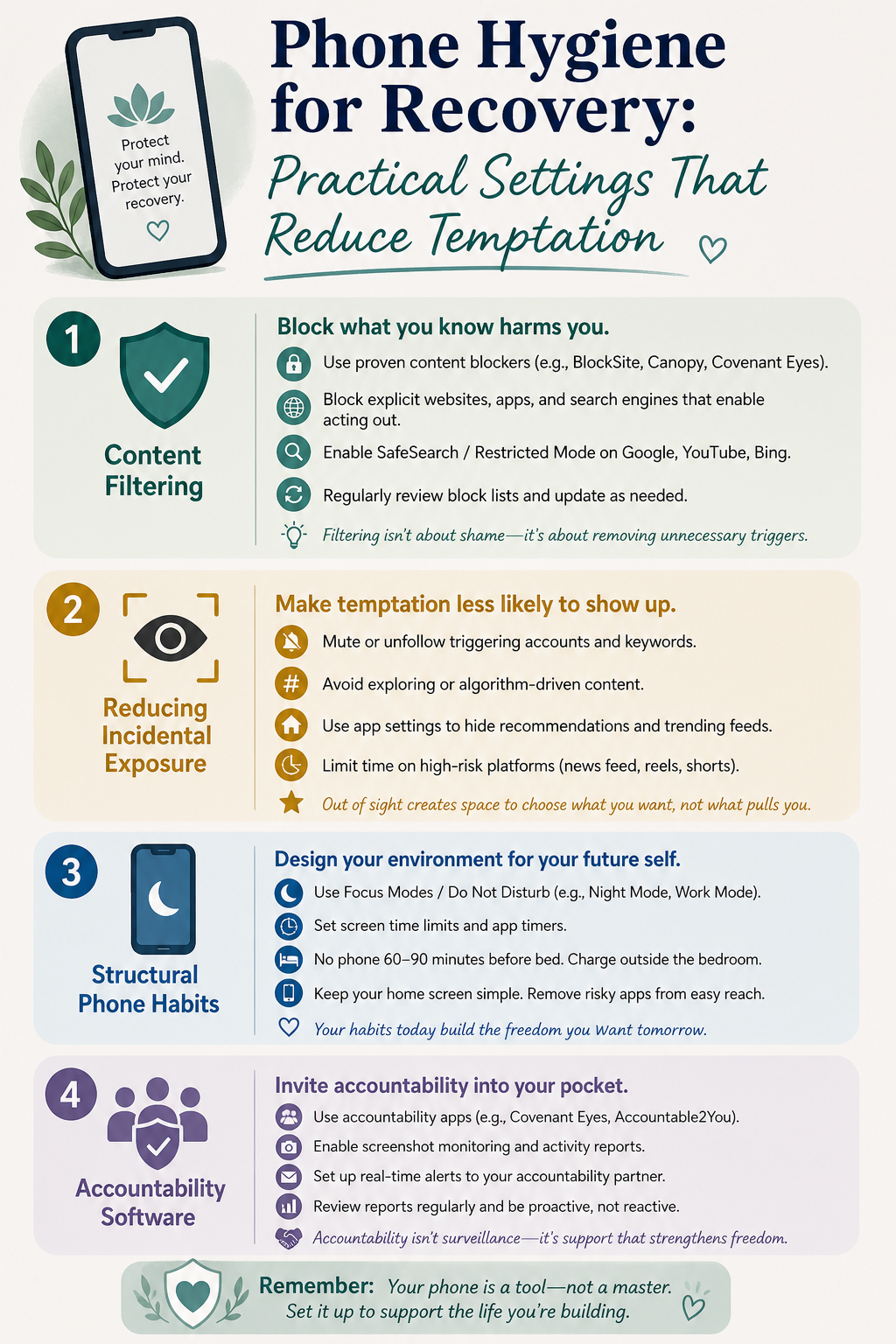
05 May Phone Hygiene for Recovery: Practical Settings That Reduce Temptation
Your phone is very likely the primary access point for compulsive sexual behaviour. For most people dealing with pornography or online sexual addiction, the phone is where the acting out happens — where the triggers live, where the content is accessed, where the hours disappear.
Environmental controls don’t treat addiction. But they reduce the burden on willpower during the moments when willpower is least available. They increase friction between an impulse and an action. And in recovery, friction buys time — time for urge surfing to work, for a coping response to activate, for a craving to begin to pass.
This guide covers specific, practical settings for your phone — not theory, not general advice to ‘use your phone less’. Specific actions you can take today that will change the environment your online sex addiction or pornography addiction is operating in.
| Environmental Controls Work Best Alongside Therapy Phone hygiene reduces access and friction. Clinical counselling addresses the reasons you’re reaching for the phone in the first place. ASAA offers both elements. → Book a Counselling Session → |
The Logic Behind Phone Hygiene
Sex addict behaviour research consistently shows that the ease of access to addictive content is one of the most significant factors in use frequency. The fewer steps between a craving and the content, the more likely acting out becomes. Every additional step — every extra password, filter, or friction point — is a small window in which a coping response has time to activate.
Phone hygiene is not about making access impossible — determined motivation can circumvent almost any filter. It is about reducing the ease of access enough to change the behaviour in the vast majority of moments when the impulse is moderate rather than overwhelming.
| 💚 You don’t have to white-knuckle every craving alone. Setting up your phone to create more friction is a practical act of self-care — you’re designing your environment to support your intentions. |
Section 1: Content Filtering
iPhone — Screen Time Content Restrictions
Go to Settings → Screen Time → Content & Privacy Restrictions → Content Restrictions → Web Content. Choose ‘Limit Adult Websites’ or, for stricter control, ‘Allowed Websites Only’. Once set, require a Screen Time passcode — and give that passcode to your accountability person, not yourself.
This is important: if you hold the passcode, the filter is easily bypassed. The accountability architecture only works if someone else holds the key.
iPhone also allows you to set time limits on specific apps via Screen Time. For apps that are triggers — social media platforms, browsers, specific services — set daily limits and again, have your accountability person set the override password.
Android — Digital Wellbeing and Family Link
Go to Settings → Digital Wellbeing & Parental Controls. On most Android devices you can set app timers, restrict specific apps, and require a PIN to extend usage. As with iPhone, have someone else hold the override PIN.
For more robust filtering on Android, third-party apps such as Covenant Eyes or Bark provide content accountability features that report usage to a nominated accountability partner — adding a social accountability layer on top of the technical one.
Browser-Level Filtering
Built-in phone filters don’t always catch every browser. Safe Search settings in Google can be locked on — Search Settings → Safe Search → Filter, then scroll to ‘Lock SafeSearch’ (requires a Google account). On Safari, Screen Time restrictions affect the browser directly. For Chrome on Android, third-party filters are more effective.
Section 2: Reducing Incidental Exposure
A significant proportion of compulsive sexual behaviour online begins not with an active decision to seek out explicit content, but with incidental exposure — a suggested video, an image in a social media feed, an advertisement — that activates the reward pathway and initiates a craving cycle.
| Platform / App | Specific Setting | Effect |
|---|---|---|
| Settings → Content Preferences → Sensitive Content Control → set to ‘Less’ | Reduces algorithmically suggested provocative content | |
| Twitter / X | Settings → Privacy & Safety → Content You See → uncheck ‘Display media that may contain sensitive content’ | Hides explicit media by default in feed |
| Log out of account or set account to ‘Safe Browsing’ mode; use Reddit blocking app | Reduces NSFW content appearance significantly | |
| YouTube | Restricted Mode (account settings → bottom of homepage) — can be locked with Google account password | Filters suggested content with adult themes |
| Google Discover | Turn off Discover feed entirely in Google app settings | Removes algorithmically curated content that can trigger incidental exposure |
Note: Platform settings change over time. These reflect settings available at the time of writing — verify current options within each app.
Section 3: Structural Phone Habits
Beyond technical settings, the structure of how and when you use your phone has significant impact on trigger exposure and compulsive behaviour patterns.
Remove the phone from the bedroom
For most people dealing with pornography addiction or phone sex addiction, the bedroom — particularly at night and in the morning — is the highest-risk window. Moving the phone out of the bedroom overnight is one of the single most effective structural changes available. Use a separate alarm clock. Charge the phone in another room.
Establish phone-free windows
Designate specific daily periods where the phone is not used — the first 30 minutes after waking, the hour before sleep, during meals, during exercise. These windows create predictable, reliable phone-free time that disrupts the habitual checking behaviour that often precedes compulsive use.
Grayscale mode
Both iPhone and Android allow you to set the screen to grayscale (black and white). Research on phone use suggests colour screens significantly increase engagement and pull — grayscale reduces the rewarding quality of phone use. It sounds minor; for many people it has a surprising effect on how much time they spend on the device. iPhone: Settings → Accessibility → Display & Text Size → Colour Filters. Android: Developer Options → Simulate Colour Space → Monochromacy.
Move trigger apps off the home screen
Simply having a trigger app require more taps to access — buried in a folder, on a second or third screen, requiring a search — adds friction that catches impulsive use. The phone should not have a direct visual path to the highest-risk apps.
Section 4: Accountability Software
For people who want a social accountability layer on top of technical controls, dedicated accountability software offers the strongest protection. Apps like Covenant Eyes install on the device and send usage reports — including browsing activity and flagged content — to a nominated accountability partner. This combination of environmental control and social accountability is more robust than either alone.
For those managing phone sex addiction specifically, call and messaging patterns can also be included in accountability agreements — determining in advance which numbers and platforms require disclosure to an accountability partner.
| 💚 Phone hygiene won’t do the deep work of recovery — that happens in therapy, in honest relationships, and in the slow process of building a different relationship with yourself. But it removes obstacles from that path. Every barrier you build between you and the trigger is an act of care toward your future self. |
Frequently Asked Questions
Won’t I just find ways around the filters?
Possibly — and that’s worth acknowledging honestly. Filters are most effective when combined with an accountability relationship, because the social dimension adds a layer that technical circumvention doesn’t address. The goal isn’t making access impossible; it’s reducing access enough that the majority of impulse-driven moments don’t result in acting out. Combined with the coping techniques discussed in Blog 3 (urge surfing) and Blog 4 (handling slips), environmental controls form one component of a broader recovery framework. The deeper work happens in clinical counselling.
My partner wants to hold the passcode. Is that appropriate?
It can be, if both people are comfortable with it. This should be discussed explicitly and ideally with the support of a therapist. The accountability structure should feel supportive, not punitive or surveillance-based. The goal is to create help — not monitoring for its own sake.
Can I use phone hygiene settings if I haven’t told my family about the addiction?
Yes — most of the settings described in this article don’t require anyone else’s involvement (except the accountability passcode, which you could also give to a therapist rather than a family member). The Australian eSafety Commissioner’s website also has accessible resources about digital safety that don’t require disclosure to use. ASAA’s online counselling is entirely confidential if you’re managing this privately.